01
Receive
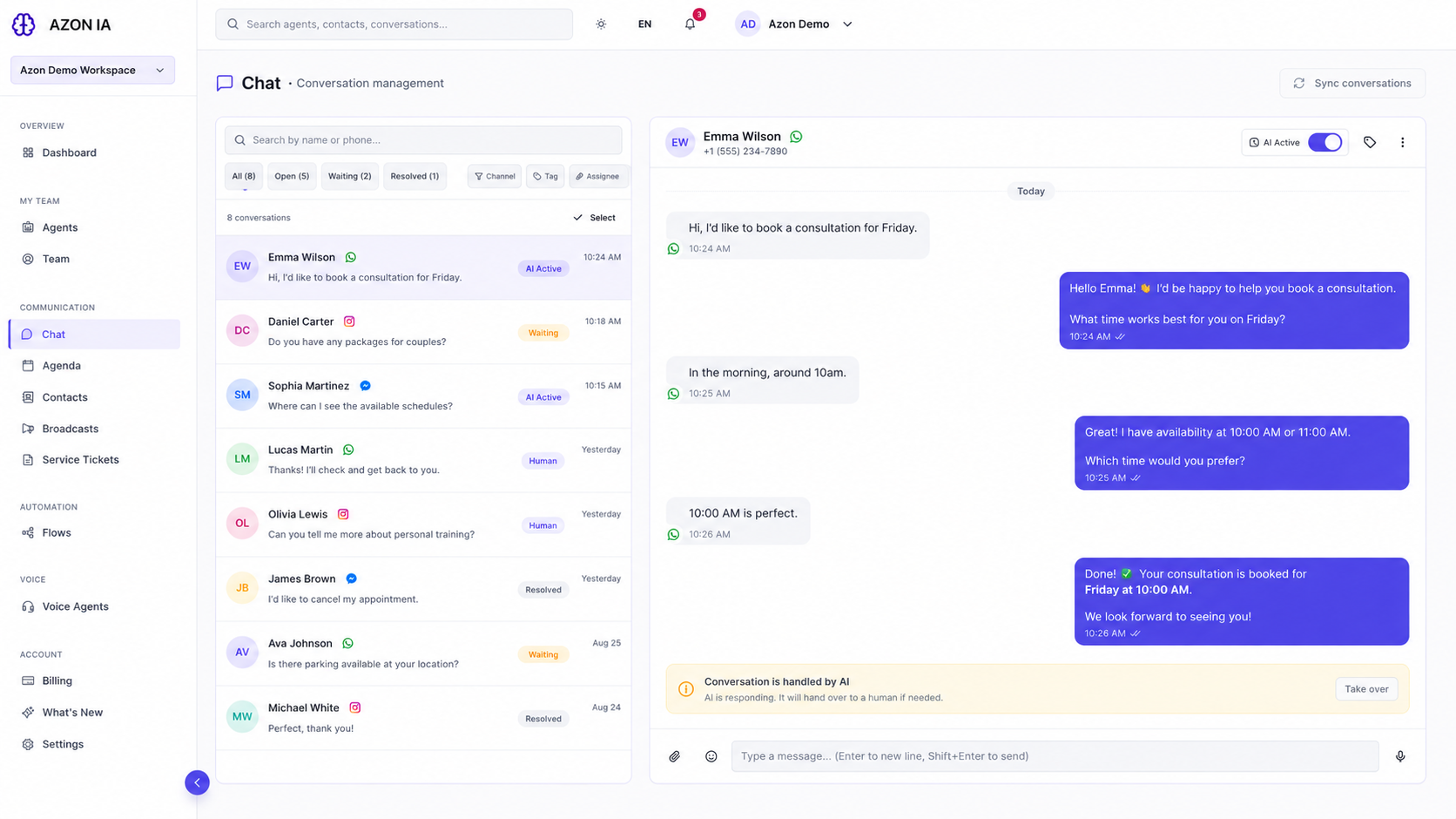
The agent picks up a conversation from a connected channel, with the full message history of that contact.
AI Agents
An AZON AI agent is a configured operator: it reads the conversation, uses the knowledge you approve, updates your records and knows when a person should take over.
How it works
01
The agent picks up a conversation from a connected channel, with the full message history of that contact.
02
Answers are built from the knowledge you approve: documents, pages and text you ingest into the agent.
03
The agent replies in your language and tone, and always identifies itself as AI, as required by law.
04
Relevant information is captured on the contact and the funnel stage is updated as intent becomes clear.
05
Where enabled, the agent can check availability and create bookings, or trigger a configured automation.
06
When a person is needed, the conversation is paused for the team and the agent stops replying.
Configuration
Agents are set up in the platform, not in a prompt sent by email. Knowledge, rules, hours and allowed actions are explicit and editable.
Under your control
Human + AI
Pausing the AI is one action in the conversation view. The team sees why the conversation was escalated and continues with the same history the agent had.
A short guided session with our team: your channels, your conversations, your operational setup.